Fetch Threat Intel from fortiwebcloud
Browse: 🏠 · Solutions · Connectors · Methods · Tables · Content · Parsers · ASIM Parsers · ASIM Products · 📊
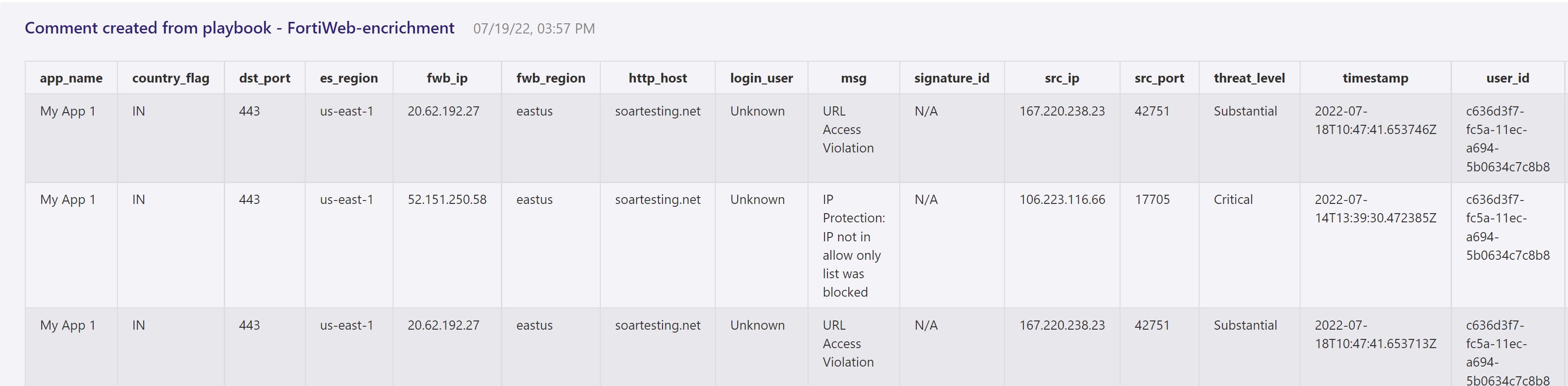
This playbook provides/updates the threat intel and essential details in comments section of triggered incident so that SOC analysts can directly take corrective measure to stop the attack
| Attribute | Value |
|---|---|
| Type | Playbook |
| Solution | Fortinet FortiWeb Cloud WAF-as-a-Service connector for Microsoft Sentinel |
| Source | View on GitHub |
Additional Documentation
FortiWeb-enrichment Info Playbook
## Summary
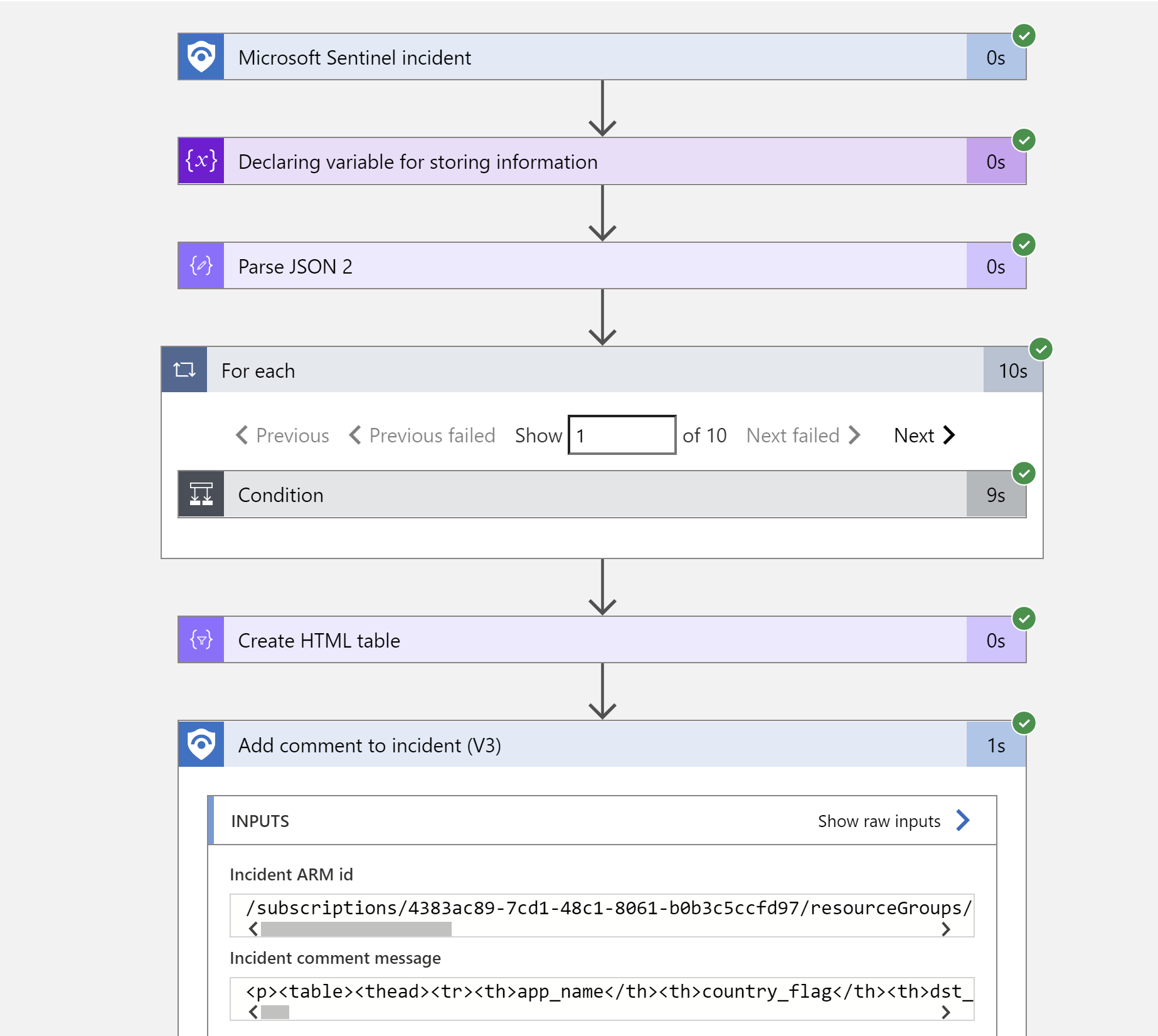
When a new Microosft Sentinel incident is created, this playbook gets triggered and performs below actions
1. Fetches the list of Ip's from incident entites .
2. Make the APi call to get the latest threat information/details from cloud console and update the same incidents comments with result.
Prerequisites
- FortiWeb Cloud Custom Connector needs to be deployed prior to the deployment of this playbook under the same subscription.
- API key. To get API Key, login into your FortiWeb cloud instance dashboard and navigate to Global --> system settings --> API Key.
Deployment instructions
-
Deploy the playbook by clicking on "Deploy to Azure" button. This will take you to deplyoing an ARM Template wizard.
-
Fill in the required paramteres:
- Playbook Name: Enter the playbook name here (Ex: FortiWeb-BlockIP-URL)
- Custom Connector Name: Enter the FortiWeb custom connector name here (Ex: FortiWebCloud)
Post-Deployment instructions
a. Authorize connections
Once deployment is complete, you will need to authorize each connection. 1. Click the Microosft Sentinel connection resource 2. Click edit API connection 3. Click Authorize 4. Sign in 5. Click Save 6. Repeat steps for Fortiweb Api Connection (For authorizing the Fortiweb API connection, API Key needs to be provided)
b. Configurations in Sentinel
- In Microosft Sentinel analytical rules should be configured to trigger an incident with risky URL or IP Address.
- Configure the automation rules to trigger this playbook , mapping of IP and URL entities is necessary
Browse: 🏠 · Solutions · Connectors · Methods · Tables · Content · Parsers · ASIM Parsers · ASIM Products · 📊
↑ Back to Playbooks · Back to Fortinet FortiWeb Cloud WAF-as-a-Service connector for Microsoft Sentinel